Product Overview
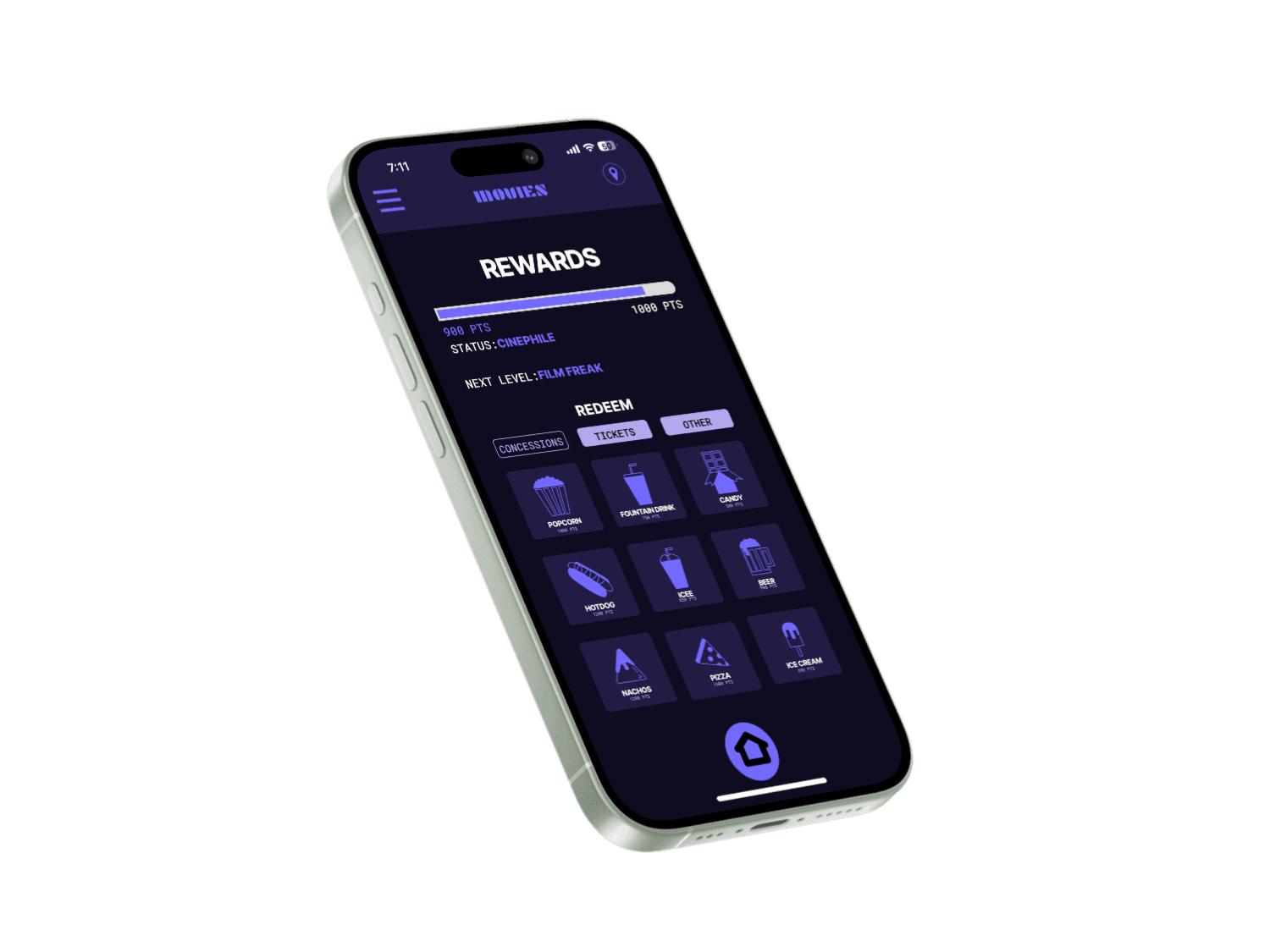
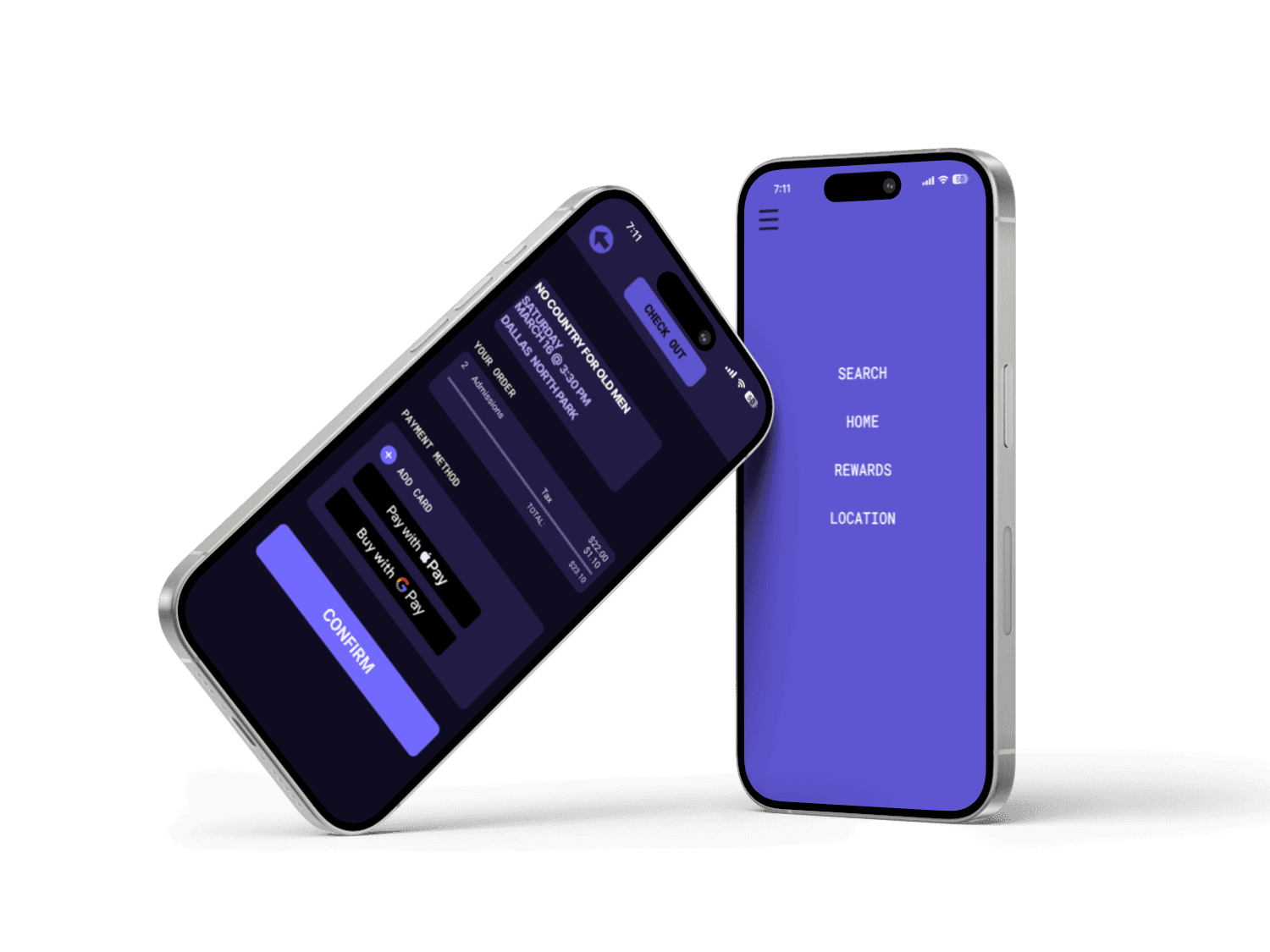
Introducing an innovating movie ticketing app that focuses on the user. Movies mobile app was designed to streamline convenience for your next movie-going experience. Our intuitive interface allows for all movie lovers to quickly purchase tickers, find theater locations, keep track of rewards, and pick seating. Say goodbye to using a cluttered browser and hello to quick serviceability at the tap of a button.
Responsibility
Lead UX Researcher
and UI Designer
Tools
Figma
Framer
Google Drive
Problem Statement
In an industry that is highly saturated with many different ways to get a ticket for a movie, in order to have a product that stands out. We need to address user pain points with our design including, seat selection, dated interfaces, and overall convenience to break through the clutter.
Goals
Enhance Usability
Streamline Navigation
Seat selection
Location
Improve Accessibility
Design Timeline
Understand
User Research, User Interview, Competitve Analysis
Define
User Personas, Empathy Map, User Journey
Ideate
User flow, Card sorting, Information Architecture
Design
Wireframe, HI-Fi Design, Prototype
Test
Feedbacks, Conclusion, Future Concept
First month
Second Month
Third Month
Target Audience
From the quantitative research I found the target audience to be 18-34 year olds who live in a metropolitan/suburban area that go to the movies once a month.

User Research
In the research I conducted two different approaches. The first was a competitive analysis with other Movie Theater ticketing apps to see what holes are in the market. I also conduct user interviews with the target audience to come up with user pain points to design solutions for.
Competitive Analysis
Company Name
Company Info
Seat Selection
Rewards/Redeem page
Ticket QR Code
Seamless interface
AMC
Movie Theater
Alamo Drafthouse
Movie Theater
Fandango
Ticketing application
User Interviews
Observations
I conducted 8 interviews with users that are a part of the target audience. The users were asked, how many times a month do they go to the movies, how do they get their movie tickets, what was satisfying about this process, and what was challenging. Below I provided the findings from these interviews.
100%
80%
38%
80%
60%
50%
Don’t use the same app or website at times to get their tickets.
Are frustrated when not given the option for seat selection.
Don’t believe downloading an app is worth it when theres already websites online.
Wish that being a rewards member with their movie theater was easier to track.
Find most movie ticketing apps and websites cluttered and hard to navigate.
Use movie ticketing mobile apps to get their tickets.
Pain Points
1.
2.
3.
Cluttered Interface
App Usability/Convenience
App Necessity
User Personas
NAME:
Jesse
AGE:
32
EDUCATION:
College Degree
JOB:
Hiring Manager
LOCATION:
Fort Worth, Texas
FAMILY:
Married with 3 kids
NAME:
Becca
AGE:
26
EDUCATION:
College Degree
JOB:
Photographer
LOCATION:
Austin, Texas
FAMILY:
Single
NAME:
Caleb
AGE:
20
EDUCATION:
College Student
JOB:
Unemployed
LOCATION:
Lubbbock
FAMILY:
Single
Bio
When going to buy tickets for his family from a movie theater app Jesse is met with fluff that gives no clear directions on getting a ticket and when he arrives. He hopes for an app that will be clear and straightforward that gives pointed information on movies for his children.
Bio
Becca goes to the movies twice a month and can’t pick her seats for the theater. She’s never downloaded an app because she hasn’t had the desire for one. Her needs are for something easy and simple to use with a picking seats feature, she also, wants something that will draw her to using an app like a points system.
Bio
Caleb when going to his theater, struggles to scan his QR Code to receive his tickets, he also can’t find out what his rewards offer through the app. His goals are to have a ticketing system that is easy to use and scan, and an app that simply lays out his reward system/tracking.
Goals
Convenience when buying tickets for him and his family.
Movie content accessibility to find family friendly movies.
Goals
Easy to use/simple features.
Points/Rewards tracker within the app.
Seat selection
Goals
QR Code for ticket
A rewards plan for his theater app.
Pain points
Cluttered apps with no clear direction.
Finding a movie that his entire family can see.
Pain points
Websites won’t allow her to pick her seats.
Websites seem more convenient because she doesn’t have to download an app.
Pain points
QR code doesn’t work when scanning for tickets.
His current movie theater app isn’t clear on rewards and information.
User Stories
Persona: Jesse
Persona: Becca
Persona: Caleb
As a Father of three, I want to have the ability to get tickets quickly and see the
content for a film so that I can have the ease to not have to worry more things.
As a single young adult, I want to have an app that gives me to the ability to select seating and adds to the ticket buying experience so that I can see the necessity of using an app over a website.
As a college student, I want simple app, with easy ticket access so that my experience to go to the movies isn’t a hassle.
Information Architecture/User Flow
Open the App
Select Date
Go to Checkout
Insert check out info
Select Movie
Select Time
Click on Content link
Home Page
Seat Selection Screen
Order Preview
Order Confirmation
Suitable for child
Enough seats?
Confirm Order?
N
Y
N
Y
Y
N
User Task: use the movie ticketing app to buy tickets for a movie that is family friendly:
User Task: use the movie ticketing app to buy tickets and select the seats their wanting.
User Task: use the movie ticketing app to use rewards system.
Open the App
Select Date
Go to Checkout
Insert check out info
Select Movie
Select Time
Home Page
Seat Selection Screen
Order Preview
Order Confirmation
Right seats?
Confirm Order?
N
Y
Y
N
Open the App
Select Rewards
Go to Checkout
Apply
Reward
Select Time
Select Free Movie Reward
Select
Date
Select Movie
Home Page
Home Page
Rewards Screen
Seat Selection Screen
Order Preview
Order Confirmation
Right seats?
Confirm Reward?
N
Y
Y
N
Style Guide
Color Palette
Primary Color
Secondary Color
#B2A8EE
#7269FF
Off-White
Background
Boundaries
#FAF9F6
#0F0B21
#221C44
Typography
Aa
Font
Inter
Aa
Inter
Extra Bold
Aa
Inter
Bold
Aa
Roboto Mono
Medium
Aa
Roboto Mono
Regular
Iconography
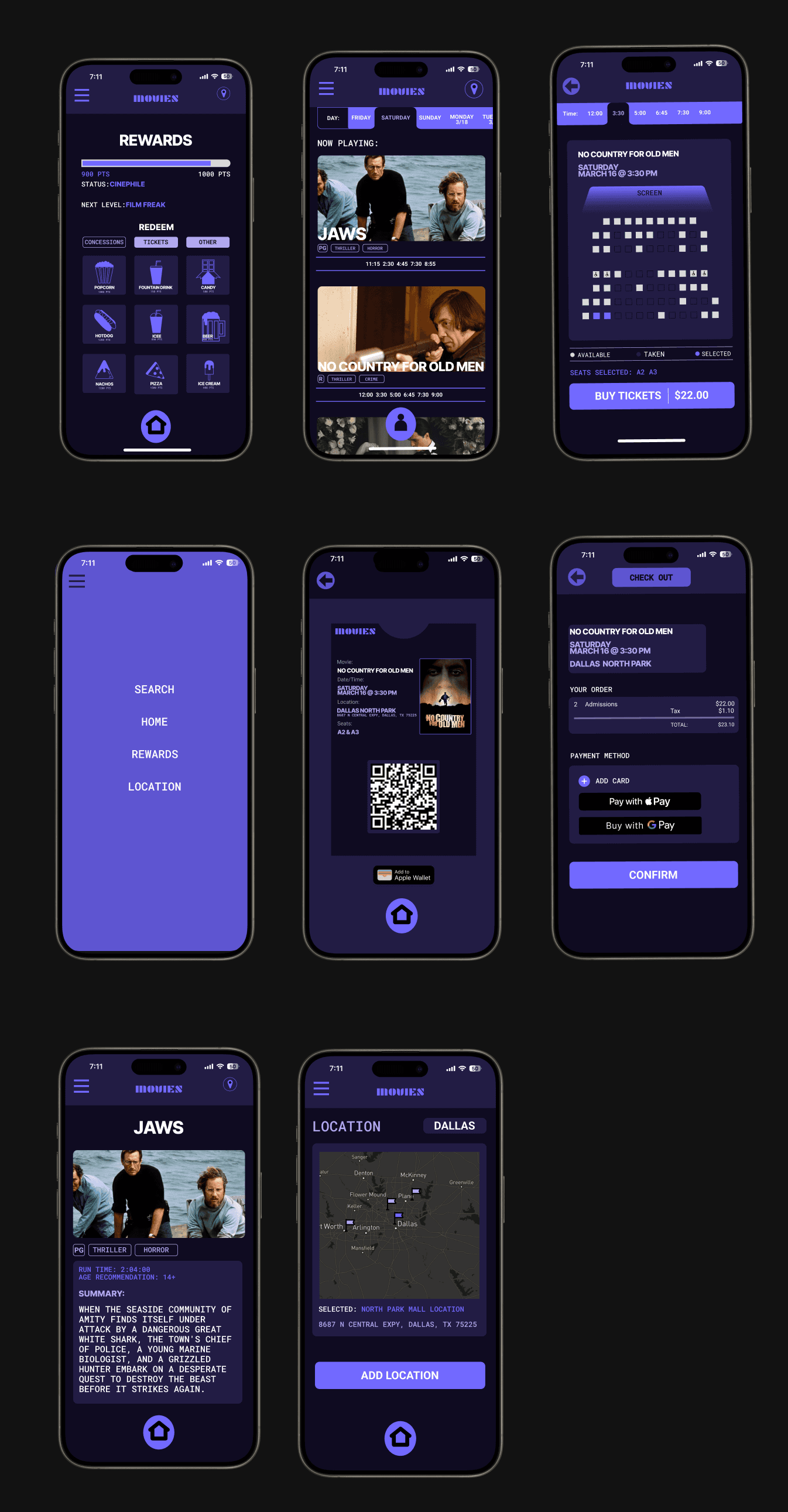
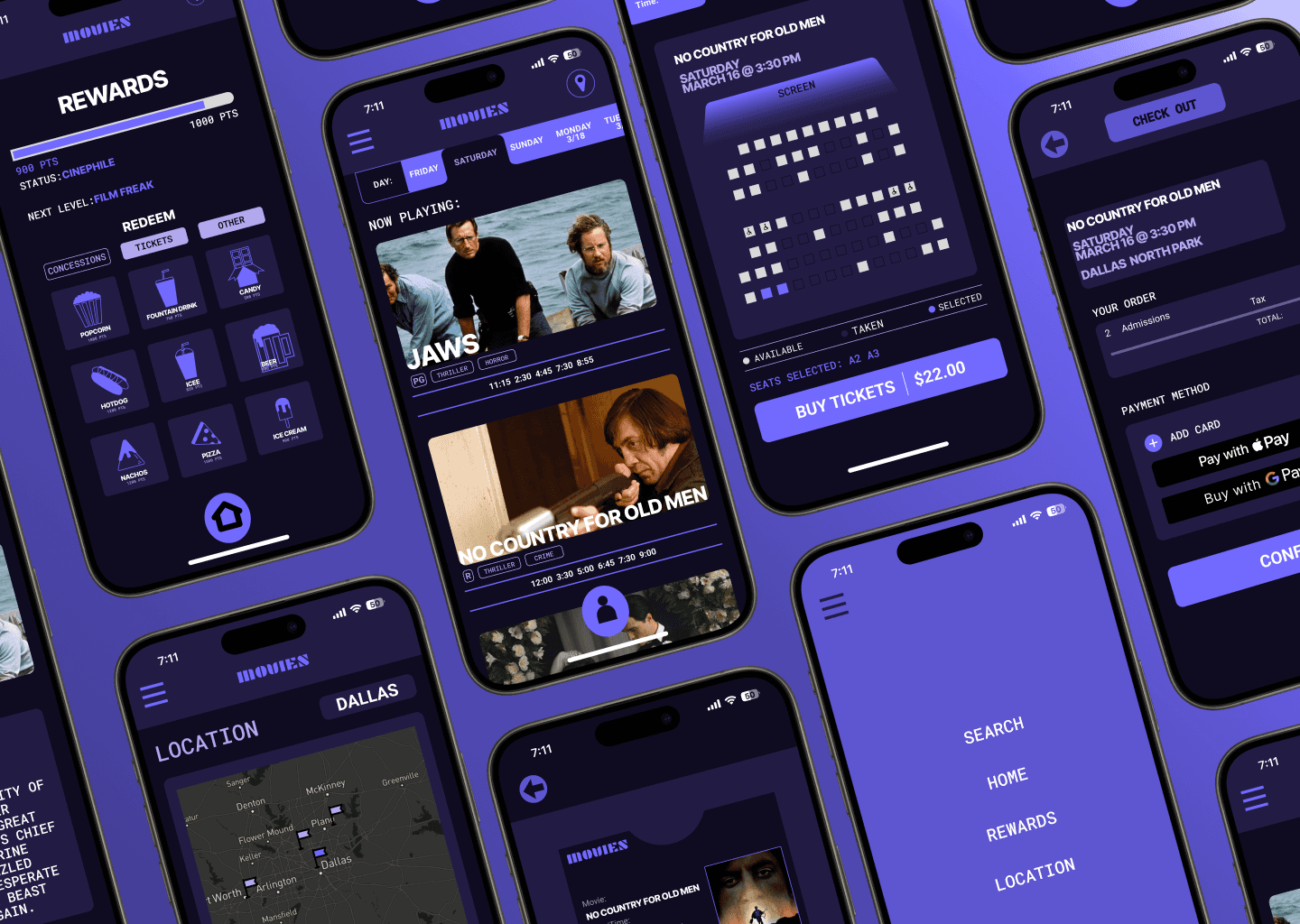
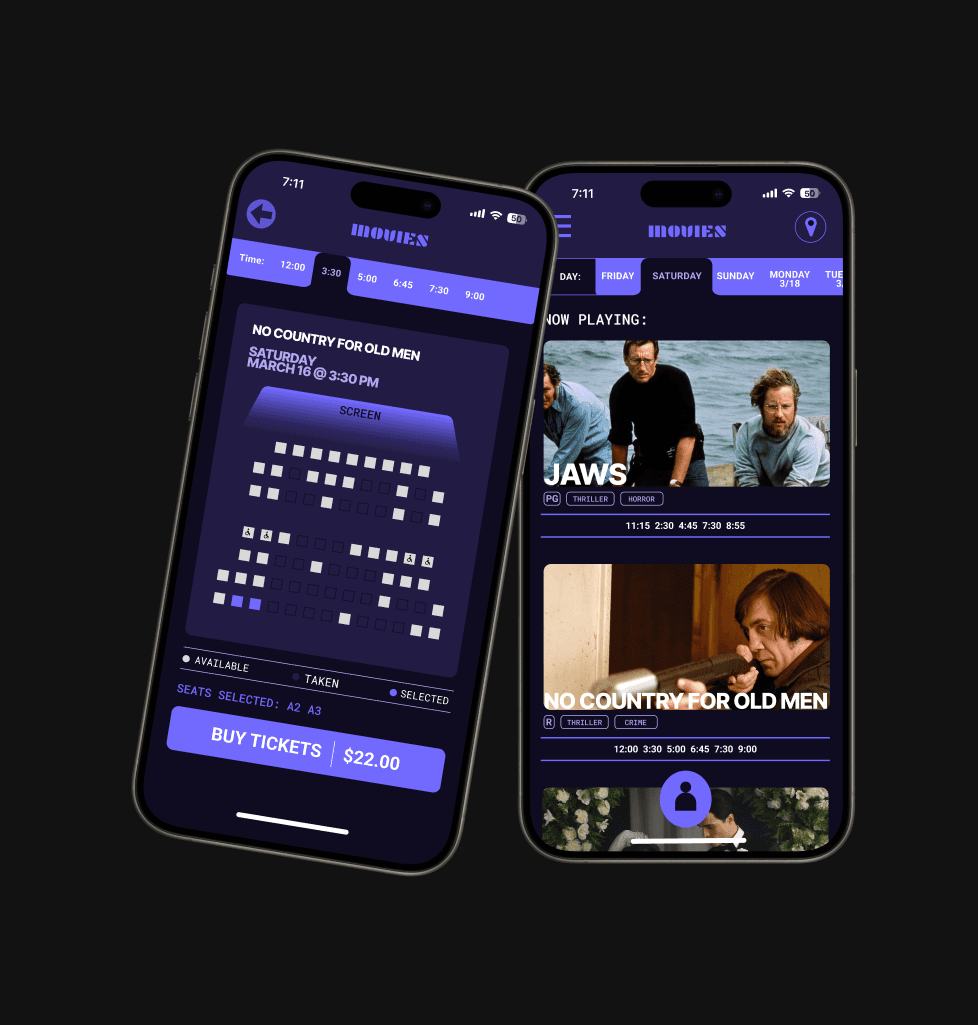
Final Product
THANK YOU FOR VIEWING!
THANK YOU FOR VIEWING!
THANK YOU FOR VIEWING!
THANK YOU FOR VIEWING!
Reach out via email: tophwilkins@gmail.com
And if you love movies follow me on Letterboxd: chriswilks
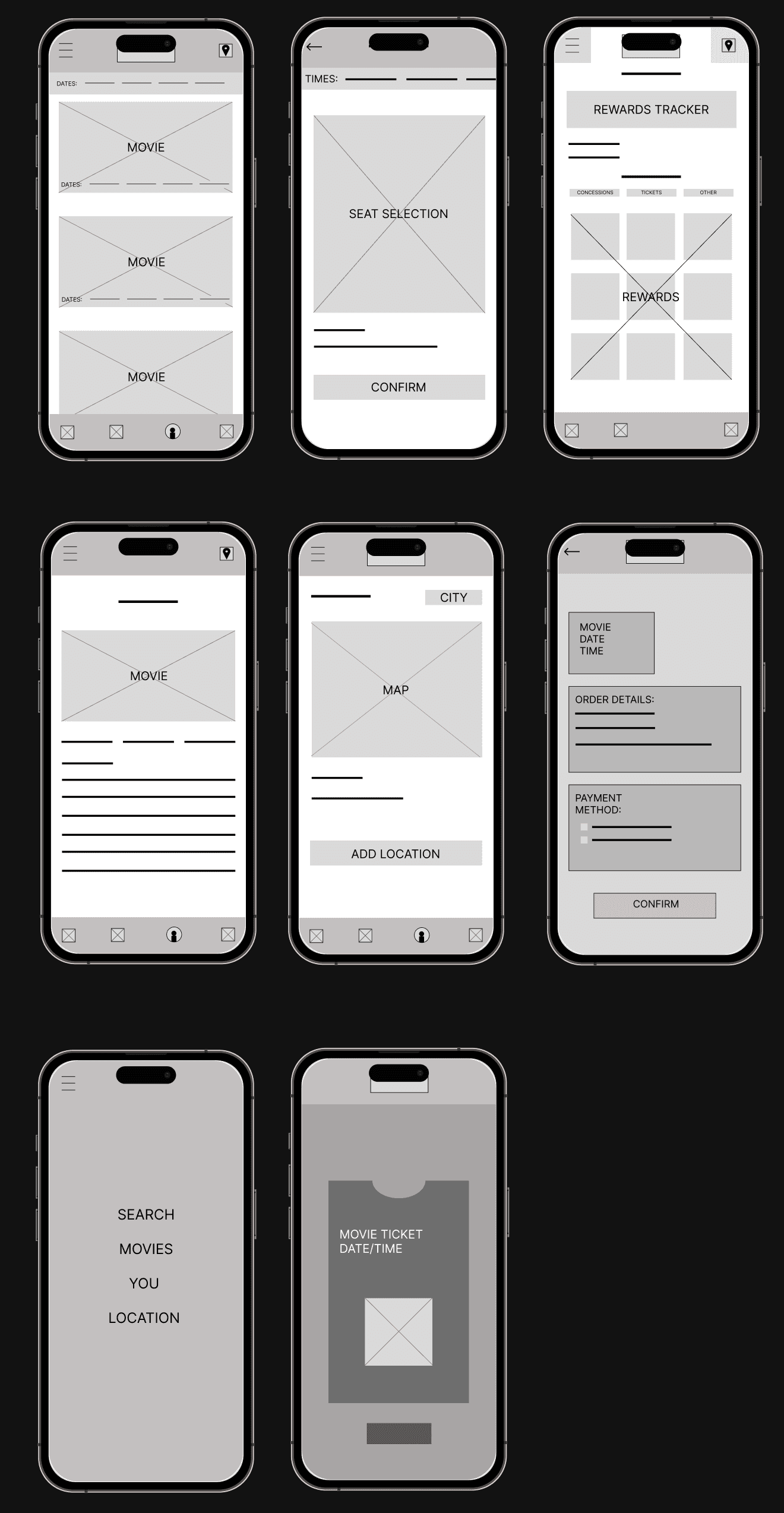
Low-fidelity Wireframes
Usability Testing
Strengths
Opportunities
Weaknesses
For the usability testing, I had users work with my prototype without any direction. I believe in order to get the best outcome for a convenient app is to have it to where no questions are asked. At the end I then asked questions on what they liked and what was challenging. Below I will explain the findings in a SWO analysis.
Not over-cluttered
Interface is easy to navigate once it’s laid out with words.
The ability to look at different times while is seat selection was a great addition.
Rewards page would be a reason someone would want the app.
NavBar at the bottom overwhelms the app, with adding too much. Takes away from other Icons that are more important.
Location input is confusing to find.
In the menu the “Rewards” link named “you” was confusing.
Introducing a button that hovers at the bottom that’s only for rewards, instead of a nav-bar that takes up space and adds too much content that isn’t needed.
With the bottom nav-bar gone it will remove three icons, which will help the user focus on the other three left: menu, location and rewards. This then will help the user get to the location icon if they need it.
Apple wallet ability to put a ticket straight on their phones.
Content page needs an age recommendation to help parents see if a movie is kid-friendly/age appropriate.
Change “you” link to “Rewards” to get away from further confusion.
Duration:
12th January - 12th March
(3 months)
M
Movies
Movies
Creating a movie ticketing app, simplified.
Google certificate project.
UI/UX Study Case
CHRIS WILKINS
SIGHT. DESIGN. CURIOSITY. FOCUSING ON THE PEOPLE.
PAGES